Enhancements in Guest Stay History
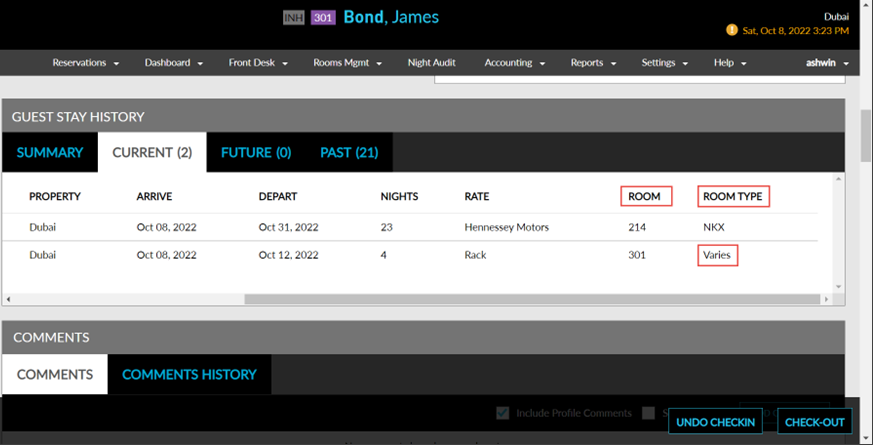
Stay is enhanced to display the room number assigned to the reservation in the Guest Stay History section of the reservation page. To support this, a new column, Room, has been added to the Guest Stay History section under the Reservation screen (Reservations ➜ Search ➜ Reservation ➜ Summary ➜ Guest Stay History). Users can now view the room number assigned to the reservation under the Room column.
The room type associated with the room is now displayed under the Room Type column. If the reservation has a scheduled room move, the room type is displayed as Varies in the Room Type column.